Просмотр новости
Найдите то, что Вас интересует
 Спутники
 РН
РН SpaceX
 Роскосмос
 NASA
NASA
СпутникиРНSpaceXРоскосмосNASAThe Google Pixel camera app is adding new “Quick access” controls on the Pixel 11 series, but it’s a little annoying that not only are they disabled by default, but the way you use them isn’t the most intuitive thing either.
more…
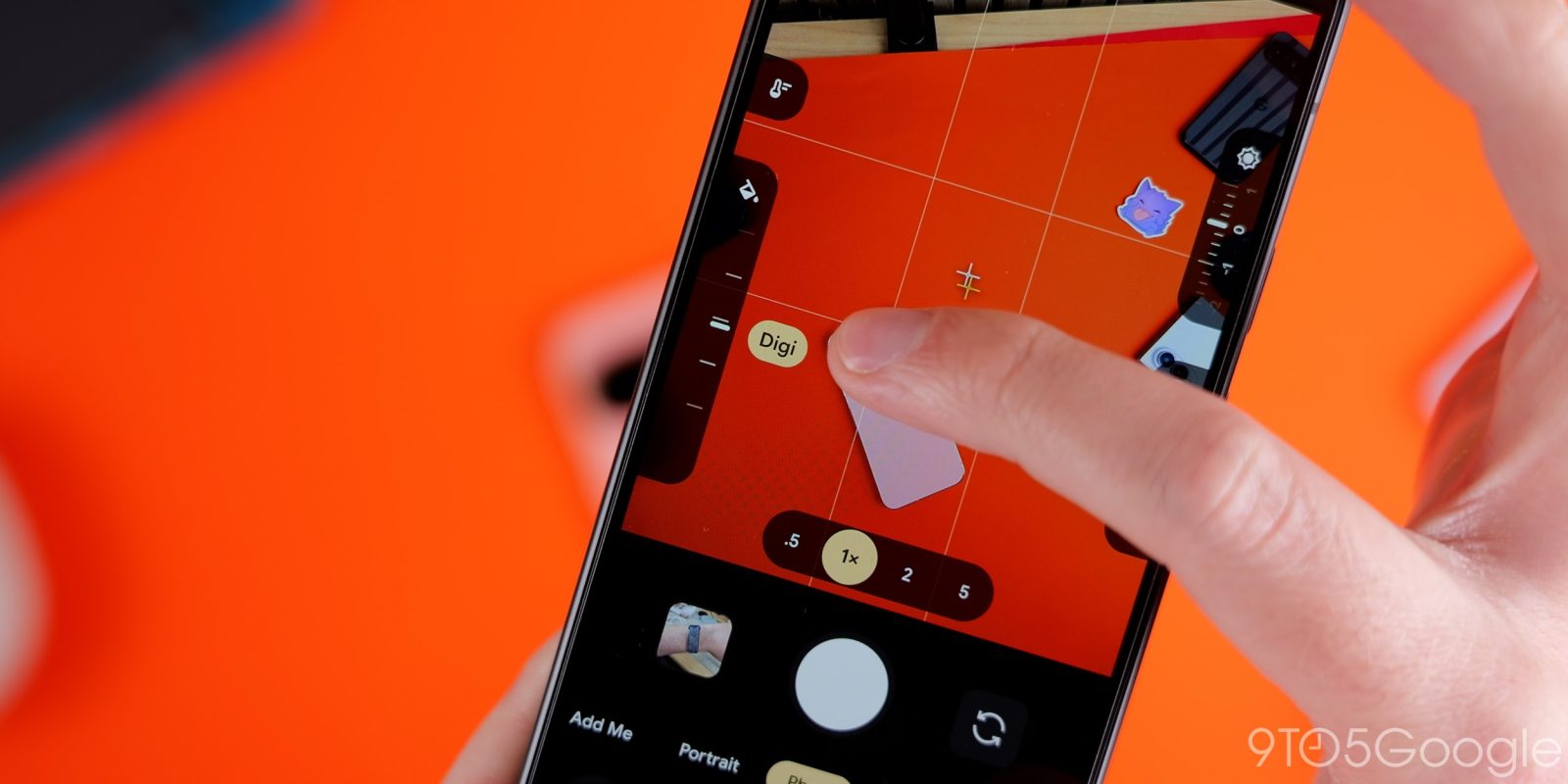
The Google Pixel camera app is adding new “Quick access” controls on the Pixel 11 series, but it’s a little annoying that not only are they disabled by default, but the way you use them isn’t the most intuitive thing either.
“Quick access” already existed in the Pixel camera app before, arriving back in 2024. But, with the Pixel 11, Google has redesigned the feature. Instead of large slider bars, they appear as slider dials, showing two on each side of the display. These are customizable in layout through the camera settings (found on the overflow button on the setting on the left side of the UI – yes, it’s a bit convoluted) and can include “Looks” on Pixel 11.
Notably, the feature was disabled out of the box on our Pixel 11 devices, but your results may vary.
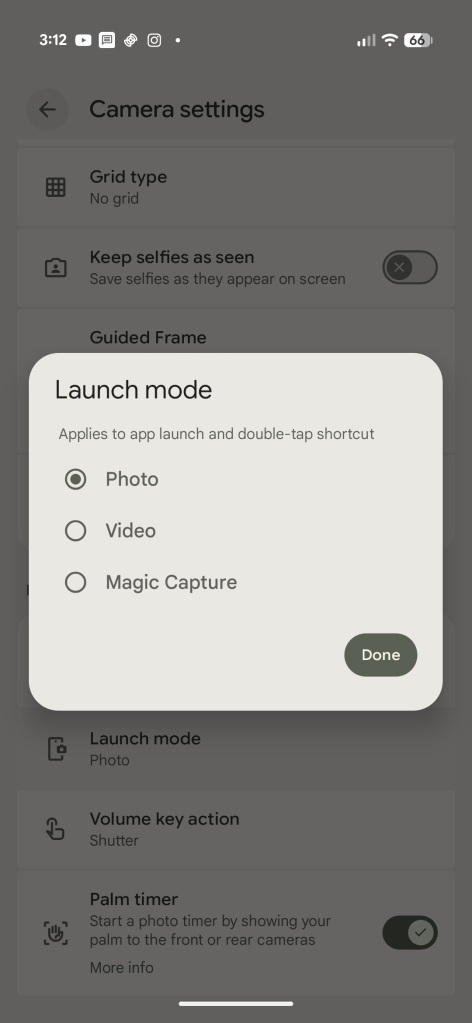
Also new on the Pixel 11 is a “Launch mode” setting, which lets you open the camera app straight to video mode or to Magic Capture. The default is still photo, and this setting appears right next to the slider settings.
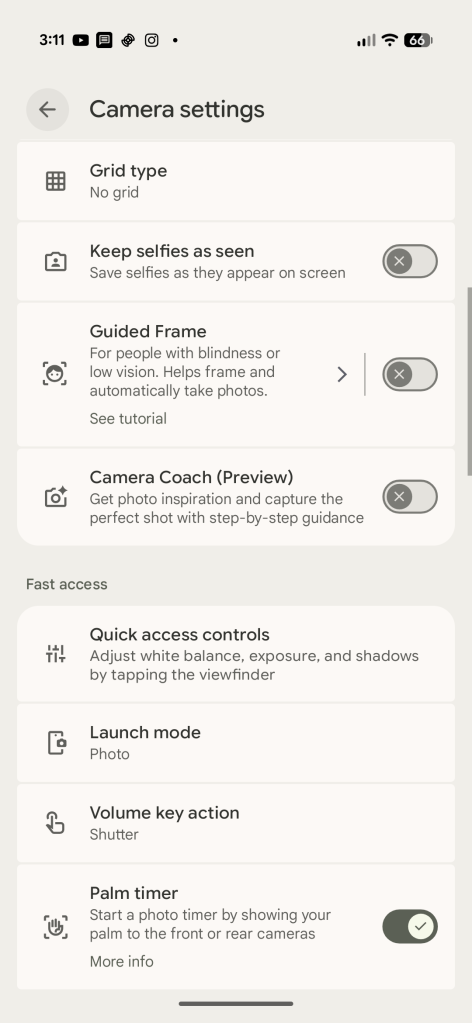
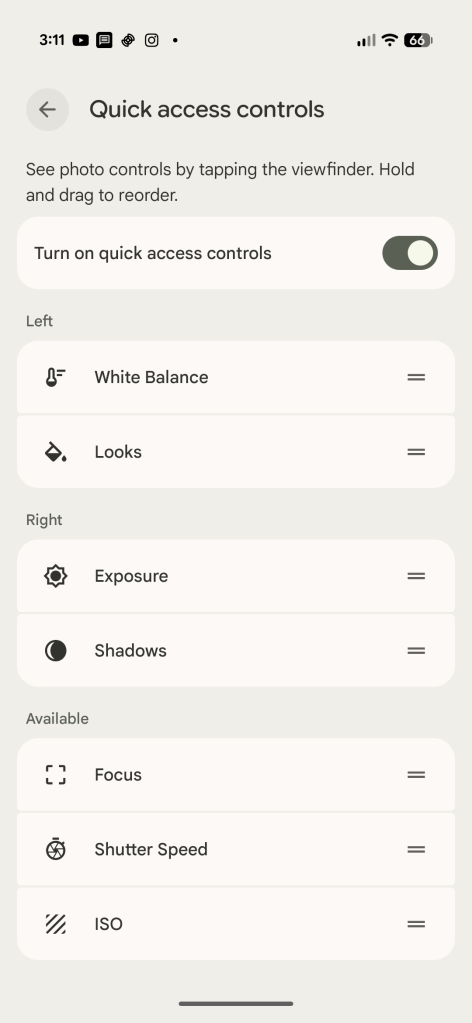
Going back to “Quick access,” the sliders themselves aren’t always visible. Instead, you need to tap the screen to get them to show up. A little annoying if you ask me, but also a little unintuitive as there’s no indication these sliders exist until you tap. It’s hard to think of another way this could be implemented, but perhaps a simple toggle to have the sliders show all of the time, maybe even in a condensed state.
Either way, the functionality is simple. Slide up or down to adjust the setting you’ve picked, with an undo button appearing at the bottom once any changes are made. There are no text labels here, but values are shown when changes are made.
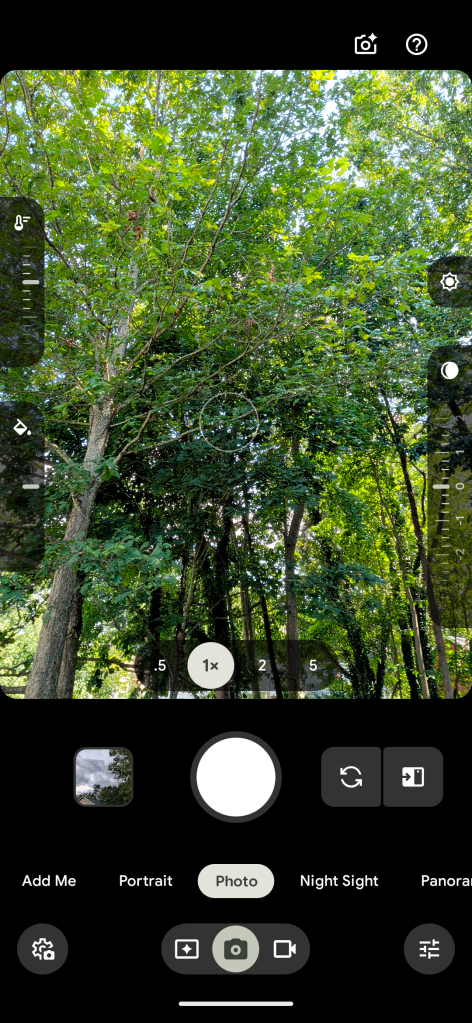
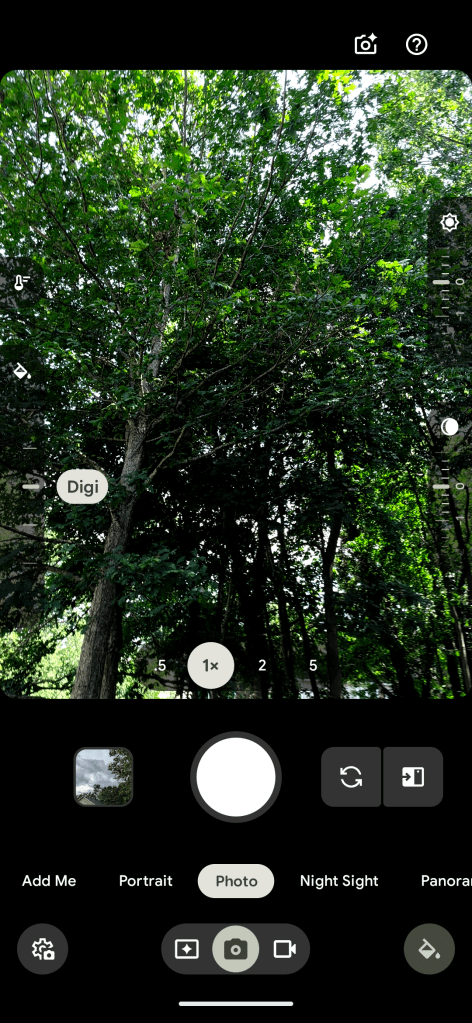
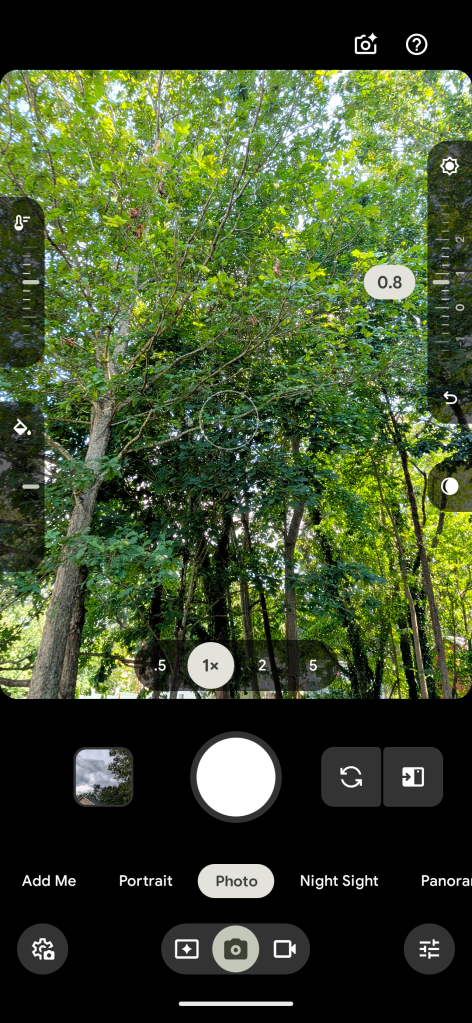
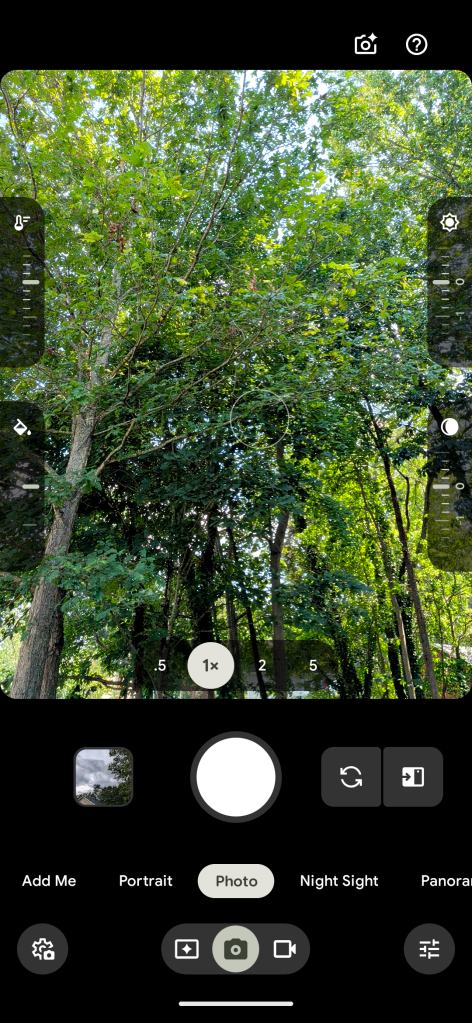
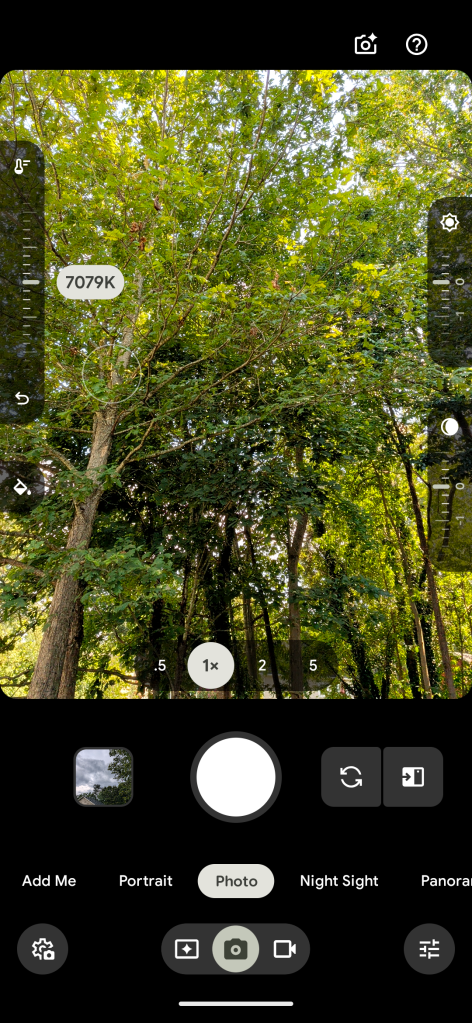
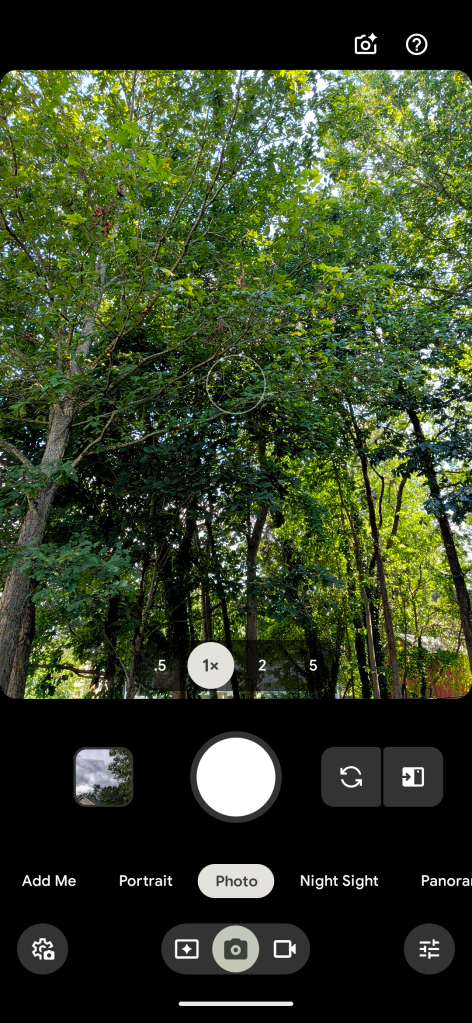
This is yet another UI update debuting on Pixel 11 – ironically in Pixel Camera v11.0 – that we’d expect to show up later on other Pixel devices in one form or another. Existing Pixels are on v10.4.
More on Google Pixel:Follow Ben: Twitter/X, Threads, Bluesky, and Instagram


FTC: We use income earning auto affiliate links. More.
| # | Наименование новости | Тональность | Информативность | Дата публикации |
|---|---|---|---|---|
| 1 | Pixel 11 lets you make any Camera Look default with this buried setting | 0 | 11.32 | 04-09-2026 |
| 2 | Pixel 11’s Magic Capture perfectly solves a very modern parenting dilemma | 0 | 10.42 | 20-08-2026 |
| 3 | Google Pixel screen savers add new styles and iPhone-like switching [Gallery] | 0 | 20.53 | 20-08-2026 |
| 4 | Google-made Pixel 11 cases and Pixelsnap accessories get fresh hues [Gallery] | 0 | 22.39 | 12-08-2026 |
| 5 | Pixel Recorder update brings new Pixel 11 app icon | 0 | 22.16 | 17-08-2026 |
| 6 | Google starts rolling out Tap to Share for Pixel 6 and newer | 0 | 19.94 | 12-08-2026 |
| 7 | Google Store Referral Program back for Pixel 11: 10% off phones, $50 Store credit | 0 | 25.06 | 30-09-2026 |
| 8 | Every Pixel 11 gets Qi2 25W wireless charging on Google’s Pixelsnap charger this year | 0 | 23.64 | 12-08-2026 |
| 9 | Google starts rolling out its upgraded Pixel screen savers to the Pixel 9 | 0 | 13.7 | 07-10-2026 |
| 10 | Pixel Search si aggiorna con alcune novità e potrebbe arrivare sui Pixel più datati | 0 | 6.89 | 06-10-2026 |