Просмотр новости
Найдите то, что Вас интересует
 Спутники
 РН
РН SpaceX
 Роскосмос
 NASA
NASA
СпутникиРНSpaceXРоскосмосNASASince iOS 5 in 2011, the iPhone and iPad have included Notification Center, a central place to find alerts from various apps in chronological order.
Starting with iOS 27, Apple is making a major change to how users open Notification Center on iPhone and iPad.
iOS 27 is here after a summer of beta releases. The behavior changed slightly between the first two releases. However, this change shipped, and I’m still adjusting to it.
more…
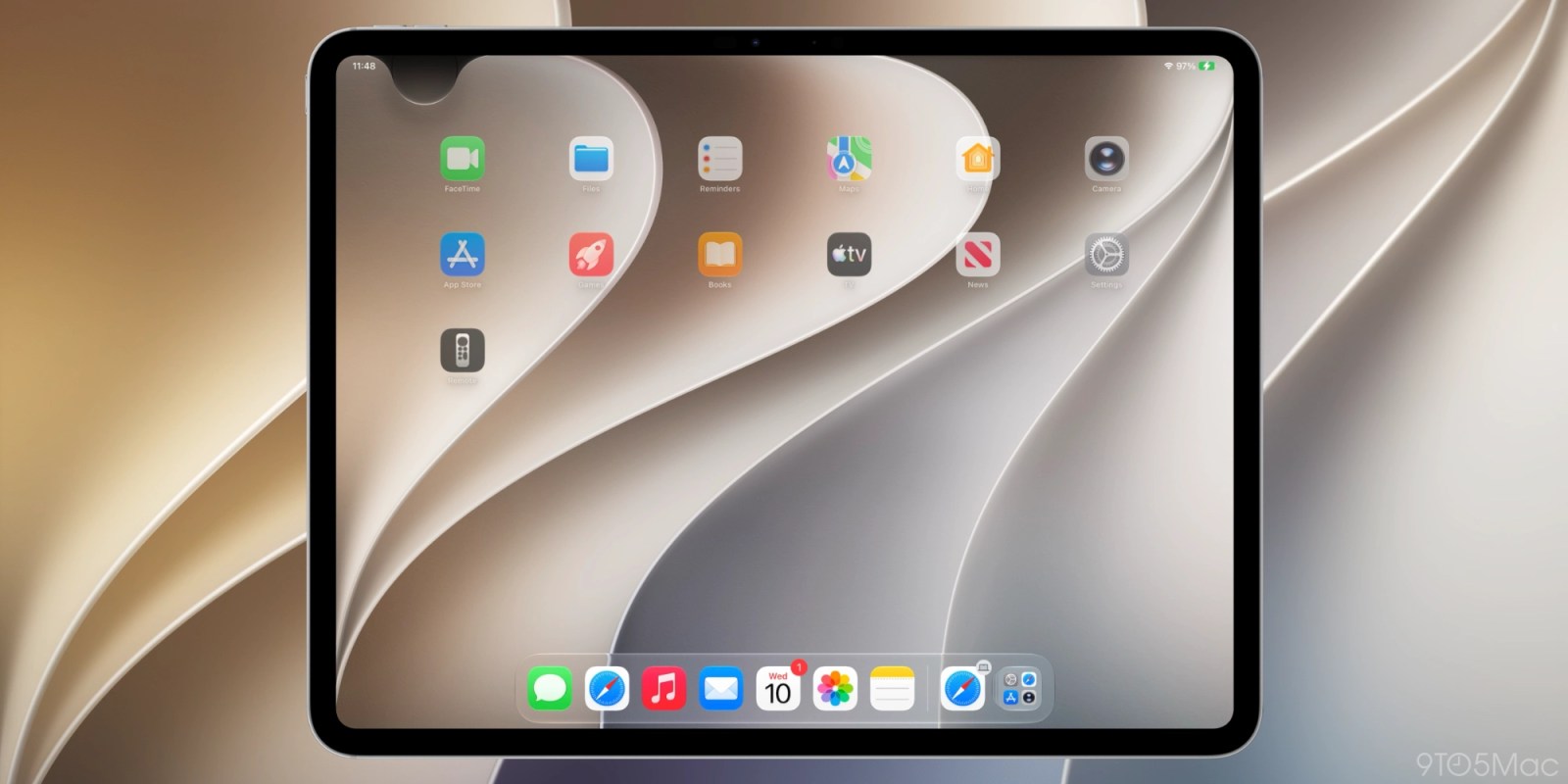
Since iOS 5 in 2011, the iPhone and iPad have included Notification Center, a central place to find alerts from various apps in chronological order.
Starting with iOS 27, Apple is making a major change to how users open Notification Center on iPhone and iPad.
iOS 27 is here after a summer of beta releases. The behavior changed slightly between the first two releases. However, this change shipped, and I’m still adjusting to it.
Siri AI takes over the swipe gesture for a lot of the iPhone and iPad top edgeOpening Notification Center is unchanged on iOS 27 and iPadOS 27 by default. However, enabling Siri AI changes a key swipe gesture on both iPhone and iPad.
One of the many ways of invoking Siri AI, once enabled, is by swiping down from the center of the top edge of your iPhone or iPad display. This previously opened Notification Center.
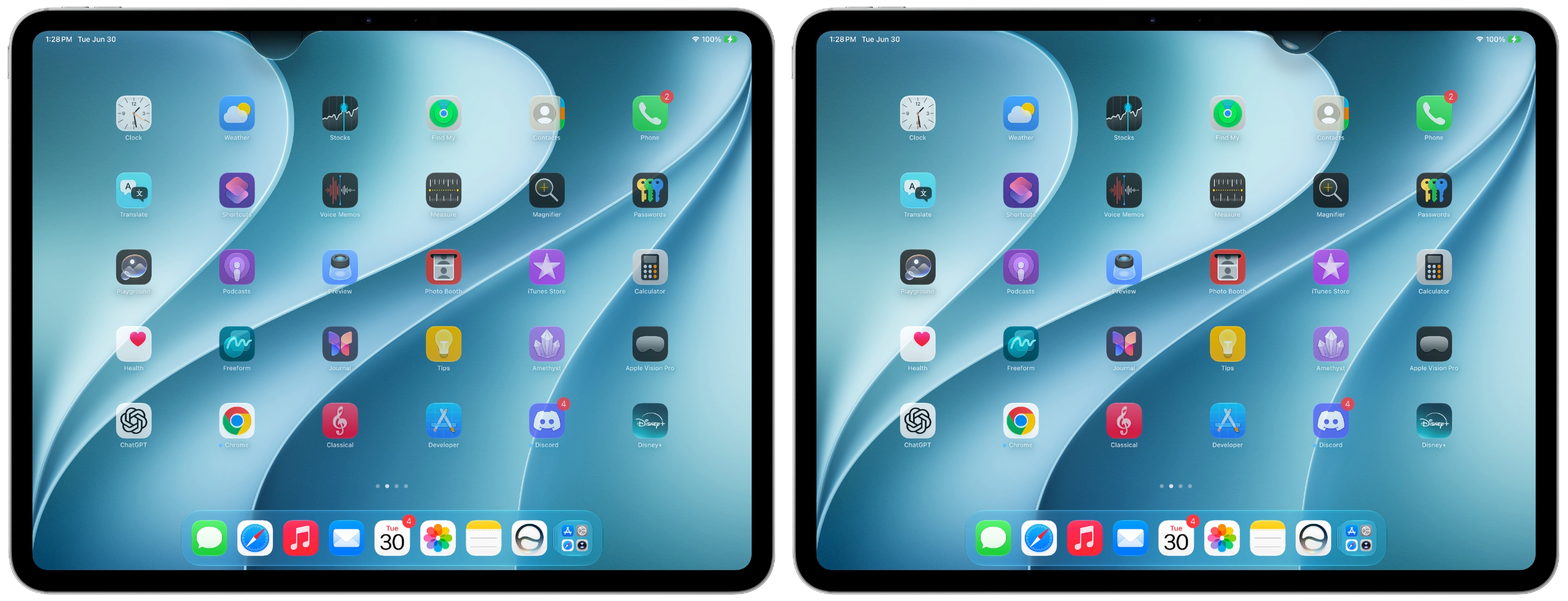
You can still access Notification Center by swiping down from the top-left corner once Siri AI is enabled. Alerts now animate in from the top left corner. This is a way to point users toward Notification Center’s smaller surface area.
Apple is greatly prioritizing Siri AI access in iOS 27. The majority of the top edge is devoted to invoking the new Siri experience.

The last time Apple made a change to accessing Notification Center came when Control Center moved from a swipe up gesture from the bottom to a top-right corner swipe down gesture on iPhone X. Apple later unified this experience across devices.
Notifications now live in the top left cornerNow it’s Notification Center’s turn to be put in the corner. On iPadOS 27 beta 1 in particular, the area above Home screen app icons was pretty much devoted to invoking Siri AI. The area for opening Notification Center actually shrank if you disable displaying AM/PM or the date.
Apple improved this with iPadOS 27 beta 2, creating a more uniform region on either side. It’s roughly the size of two app columns with Notification Center on the left and Control Center on the right. The rest is for invoking Siri.
After 15 years of muscle memory, it’ll take some time to determine if this change is worth it or something that should be reconsidered. In the meantime, early feedback sounds overwhelmingly positive around Apple’s new Siri AI system. Hearing that Siri is good now will also take some getting used to, I’m sure.
After months of using the new behavior, I’m certain I’d toggle it off if there were a setting to do so. Since there’s no option to disable invoking Siri from the top middle swipe down, the only thing to do is build new muscle memory around avoiding the center.
What do you think? Would you change this back if you could? Is accessing Siri from the swipe-down gesture worth the change? Share your thoughts in the comments.


FTC: We use income earning auto affiliate links. More.
| # | Наименование новости | Тональность | Информативность | Дата публикации |
|---|---|---|---|---|
| 1 | Apple releases iPadOS 27, here’s what’s new for iPad | 0 | 27.4 | 14-09-2026 |
| 2 | iOS 27.0.1 Update with Bug Fixes Released for iPhone & iPad | 0 | 9.17 | 28-09-2026 |
| 3 | iPadOS 27 launches on September 14, here are the compatible devices | 0 | 24 | 09-09-2026 |
| 4 | iOS 27: What’s new, what’s in the latest beta and what’s coming next | 0 | 13.62 | 03-10-2026 |
| 5 | iPadOS 27 adds three features to make iPad more like the Mac | 0 | 18.77 | 21-08-2026 |
| 6 | Apple announces release date for iOS 27, iPadOS 27, macOS 27, watchOS 27, and other updates | 0 | 14.96 | 09-09-2026 |
| 7 | List of major features rolling out today with Apple's iOS 27 update | 0 | 16.54 | 14-09-2026 |
| 8 | 3rd Beta of iOS 27.2, MacOS 27.2, & iPadOS 27.2 Available for Testing | 0 | 14.3 | 05-10-2026 |
| 9 | iPhone software patch fixes nasty iOS 27 freeze bug and more | 0 | 27.97 | 28-09-2026 |
| 10 | How to Always Show Menu Bar on iPad with iPadOS 27 | 0 | 5.31 | 23-09-2026 |