Просмотр новости
Найдите то, что Вас интересует
 Спутники
 РН
РН SpaceX
 Роскосмос
 NASA
NASA
СпутникиРНSpaceXРоскосмосNASA 6 min read StatusCake tells you that something might be broken. Hermes can check whether it really looks broken, decide who should hear about it, send the email, and keep the record for tomorrow morning's summary.
The post Turn StatusCake into a verified alerting and escalation flow with Hermes appeared first on StatusCake.
Most monitoring setups have the same weak spot.
Detection is easy. Decision-making is not.
StatusCake is good at telling you that something might be wrong. What happens next is where things sometimes get messy. One alert goes straight to a chat room. Another wakes the wrong person. A third ends up getting missed because the site had a brief wobble and recovered before anyone looked.
Hermes is useful in that gap.
Instead of treating StatusCake as the whole incident workflow, you can put Hermes behind the webhook and use it as a small verification and routing layer. The pattern is simple:
That gives you something better than “dump every alert into a channel” without dragging in a full incident-management platform.
The short versionStatusCake detects. Hermes verifies, routes, emails, and remembers.
That is the whole idea.
Why bother adding Hermes at all?Because most teams do not want every uptime alert treated the same way.
A down alert at 2:14pm during business hours is not the same as a down alert at 2:14am. A monitor flapping for ten seconds is not the same as a real outage. And when something goes wrong, you usually want a record of what arrived, what Hermes saw, and who got notified.
Hermes gives you a good place to add that logic.
In this setup it does four jobs:
That is enough to make a cheap monitoring stack feel much more operationally sane.
The architectureThis is intentionally small.
StatusCake
  to webhook request
  to local receiver beside Hermes
  to raw request log
  to verification step
  to escalation decision
  to immediate email notification
  to local event history
  to daily summary email
There is no requirement to package this as a formal Hermes skill on day one. If your goal is to get a useful workflow running quickly, an ad hoc setup with a few scripts and a config file is enough.
That is the version I would recommend first.
Why webhook-first is the right moveYou could try to build something around email parsing, but that is the wrong direction here.
Webhook delivery is cleaner for three reasons:
In practice, that last bit matters more than people expect. When an alert does not behave the way you thought it would, the first question is usually: did StatusCake send what I think it sent?
If you keep a raw inbound log, you can answer that immediately.
The receiver can stay tiny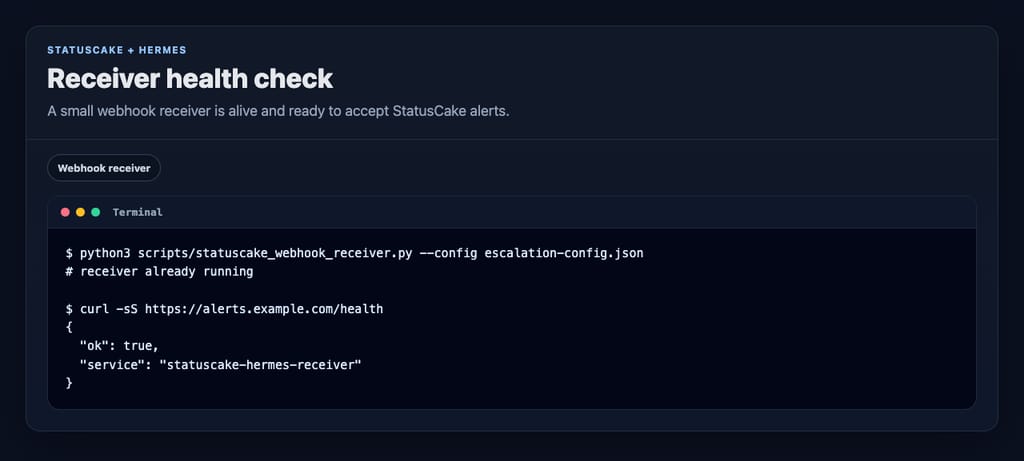
You do not need a huge service for this. A small local HTTP receiver is enough.
python3 scripts/statuscake_webhook_receiver.py
  --config var/escalation-config.json
  --host 127.0.0.1
  --port 8934
Expose that locally running receiver with whatever public entrypoint you trust for machine-to-machine requests. For demos, a Cloudflare quick tunnel is usually fine. The important part is that StatusCake can reach a route like this:
https://example-public-host.test/webhooks/statuscake-alertsAnd before you test from StatusCake, check both health endpoints:
http://127.0.0.1:8934/health
https://example-public-host.test/health
One small gotcha: loading /webhooks/statuscake-alerts in a browser proves nothing. It is a webhook route, not a page. Use /health for browser checks and an actual webhook test when you test the alert path.
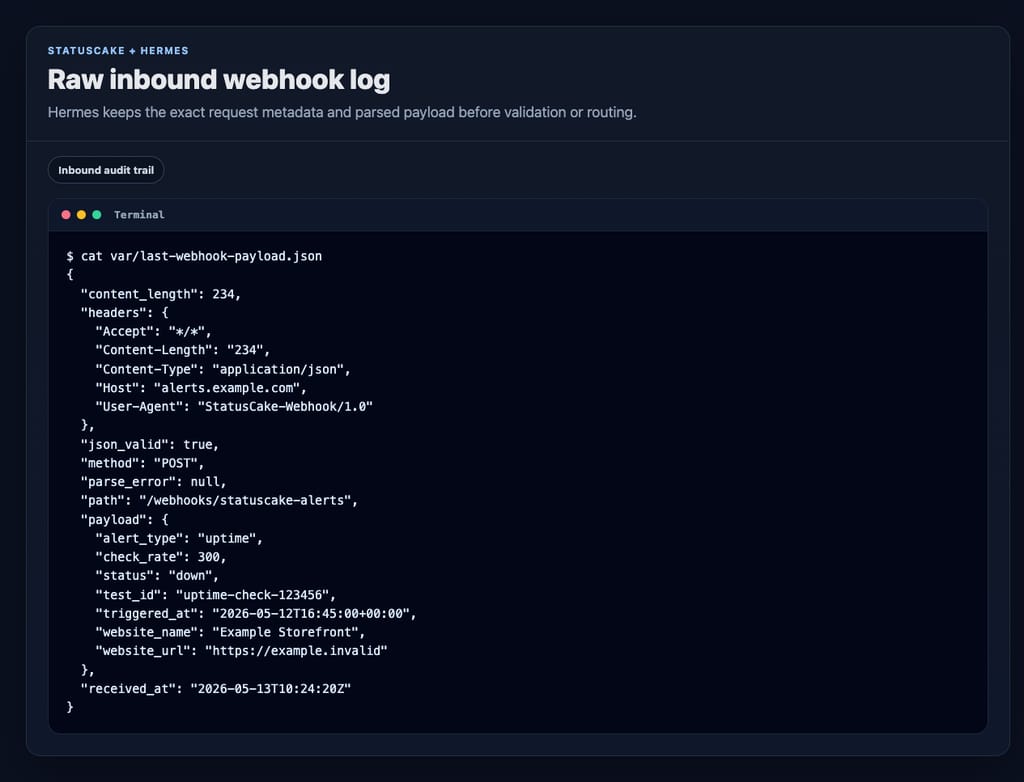
One of the best decisions in this design is to write the inbound request to disk before doing anything clever with it.
That gives you two useful artifacts:
var/last-webhook-payload.json for quick inspectionvar/incoming-webhooks.jsonl as an append-only inbound ledgerThat means you can answer the boring but important questions later:
Without that log, webhook debugging turns into folklore.
Verification is where this gets interesting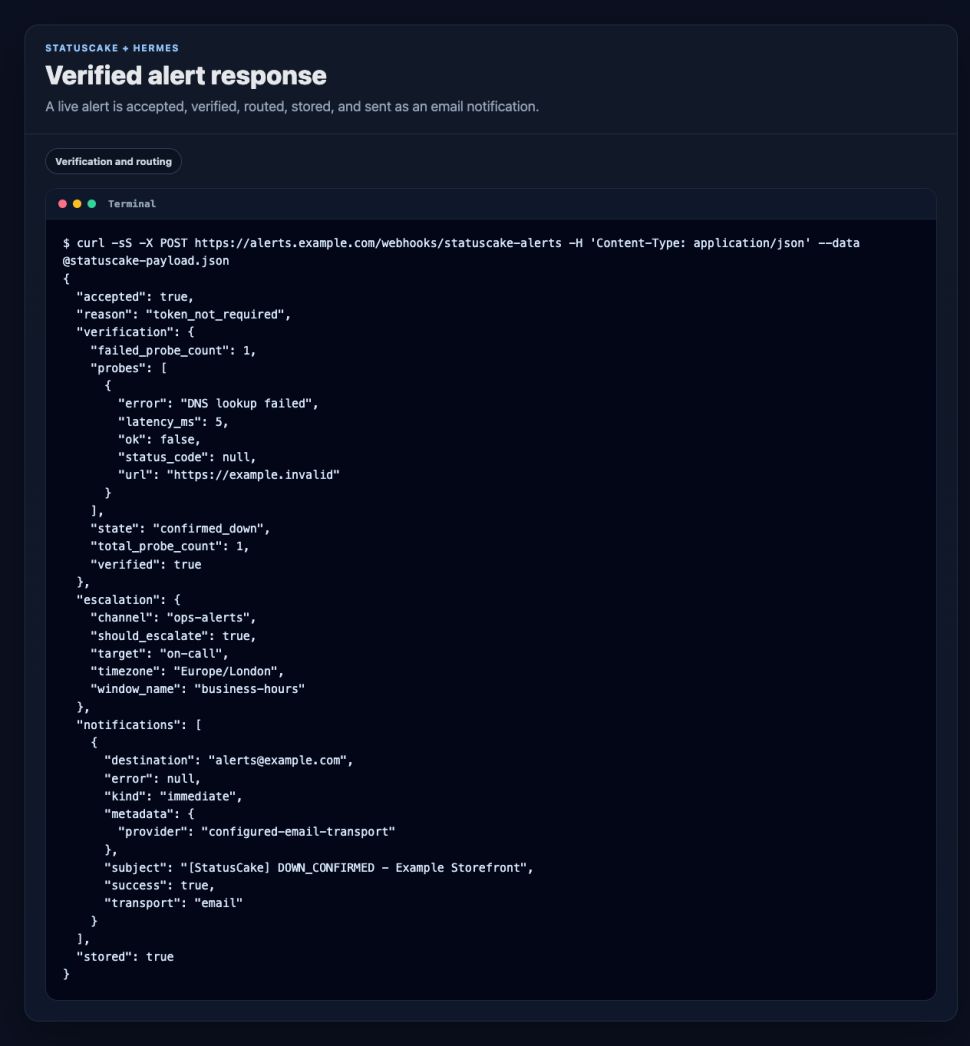
This is the part that makes Hermes more than a relay.
When a down alert comes in, Hermes does not need to panic immediately. It can probe the target itself and decide whether the outage looks real.
A very simple version is enough:
The config supports that directly:
{
  "timezone": "Europe/London",
  "probe_timeout_seconds": 8,
  "min_failed_probes": 1,
  "probe_urls": [],
  "notifications": {
    "immediate": [
      {
        "type": "email",
        "transport": "sendmail",
        "from": "statuscake-hermes at localhost",
        "to": ["alerts example dot com"],
        "events": ["DOWN_CONFIRMED", "UP_CONFIRMED"],
        "subject_prefix": "[StatusCake]"
      }
    ]
  }
}
A detail worth calling out: leaving probe_urls empty is not a bug. In this setup, that tells Hermes to verify against the website URL coming from the StatusCake payload. That is a good default when you want the monitor to carry its own target.
If you do have a better health endpoint than the public homepage, use it.
Time-aware escalation without buying more softwareA lot of teams want basic routing rules but do not want a full paging product yet.
That is fine. Hermes can do the simple version well.
{
  "escalation_schedule": {
    "windows": [
      {
        "name": "business-hours",
        "start_hour": 8,
        "end_hour": 18,
        "target": "primary-on-call",
        "channel": "discord ops business hours"
      },
      {
        "name": "out-of-hours",
        "start_hour": 18,
        "end_hour": 24,
        "target": "after-hours-escalation",
        "channel": "discord ops after hours"
      },
      {
        "name": "night-shift",
        "start_hour": 0,
        "end_hour": 8,
        "target": "night-duty-engineer",
        "channel": "discord ops night"
      }
    ]
  }
}
That is enough to stop every alert from behaving like a fire alarm.
Immediate email is often enough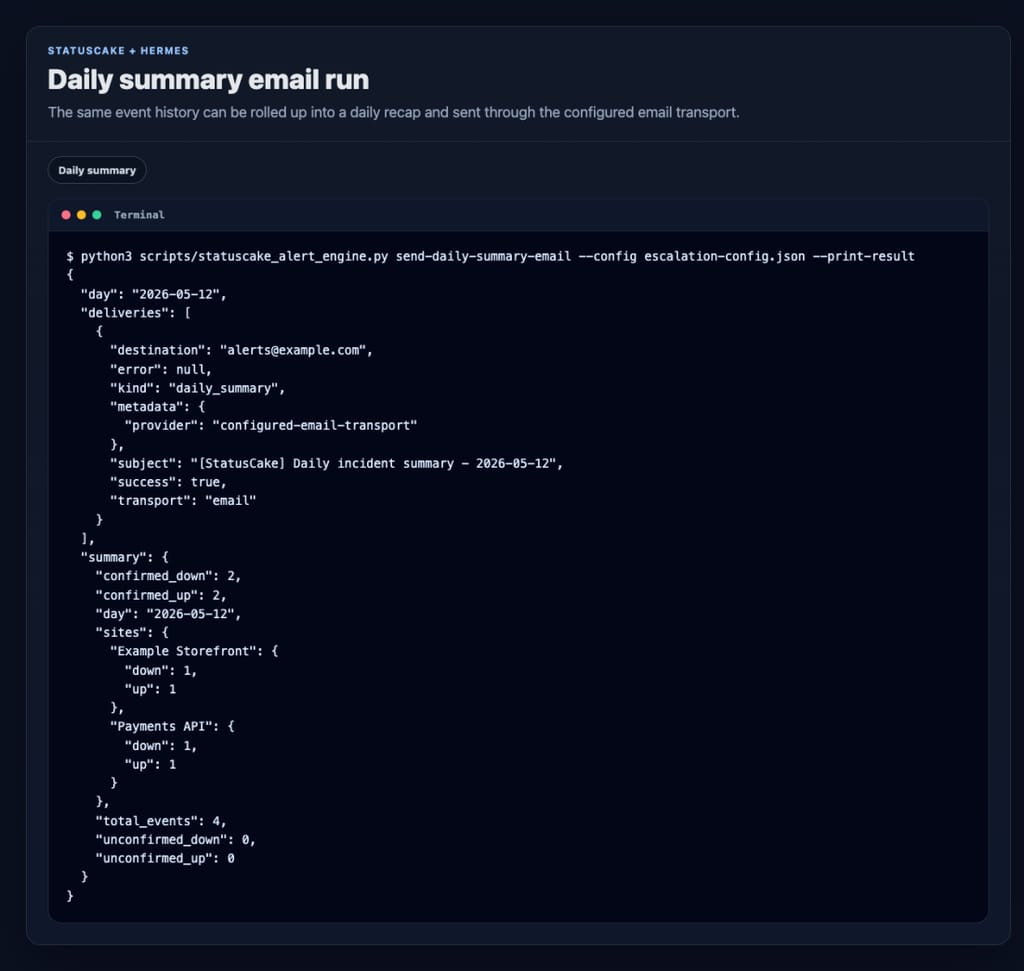
You do not need to overcomplicate delivery either.
For this build, immediate alert delivery is handled through sendmail, which keeps the integration dead simple on a machine that already knows how to send mail.
A confirmed DOWN_CONFIRMED or UP_CONFIRMED event triggers an email right away. In this example, messages go straight to the configured alert recipient.
The CLI can also send a daily summary on demand:
python3 scripts/statuscake_alert_engine.py send-daily-summary-email
  --config var/escalation-config.json
  --print-result
And if you want the recap every morning, schedule the wrapper script:
python3 scripts/statuscake_daily_summary_email.pyIn this project, that job is scheduled for 09:00 Europe/London each day.
The event store is deliberately boringEvery verified event gets appended to var/alerts.jsonl.
That sounds plain because it is plain. That is also why it is useful.
A JSONL file gives you:
You do not need a dashboard before you have a history.
Start with the history.
A quick local test loopOnce the receiver is up, you can test the full path locally with a small sample payload that looks like a StatusCake alert.
Local webhook route:
http://127.0.0.1:8934/webhooks/statuscake-alerts

website_name: Example Storefront
website_url: https://example.com
status: down
check_rate: 300
test_id: 123456
alert_type: uptime
The response tells you a lot in one go:
That is the kind of tight feedback loop you want when you are building monitoring workflows.
What this setup is good forThis pattern is a good fit if you want:
The useful part of this setup is not that Hermes can receive a webhook. Lots of tools can receive a webhook.
The useful part is that Hermes adds judgment after detection.
StatusCake tells you that something might be broken. Hermes can check whether it really looks broken, decide who should hear about it, send the email, and keep the record for tomorrow morning’s summary.
That is a much better workflow than forwarding every alert and hoping the humans sort it out. And it could end up being a lot cheaper than running a full triage/escalation stack via cloud services.
| # | Наименование новости | Тональность | Информативность | Дата публикации |
|---|---|---|---|---|
| 1 | Automate StatusCake Monitoring with viaSocket | 0 | 12.65 | 11-08-2026 |
| 2 | Alerting Is a Socio-Technical System | 0 | 15.46 | 25-02-2026 |
| 3 | Designing Alerts for Action | 0 | 14.55 | 18-02-2026 |
| 4 | Website Monitoring Checklist: What to Track Beyond Uptime | 0 | 10.71 | 09-06-2026 |
| 5 | What Broke GitHub on August 17 and How Retries Made the Incident Worse | 0 | 19.51 | 19-08-2026 |
| 6 | Best CircleCI alternatives in 2026 | 0 | 11.25 | 31-07-2026 |
| 7 | Monzo’s Stand-In Held Up on Wednesday. Some Customers Still Had a Bad Day. | 0 | 14.15 | 21-08-2026 |
| 8 | Latency issues across a number of services | 0 | 12.62 | 23-07-2026 |
| 9 | Best Jenkins Alternatives in 2026 | 0 | 10.09 | 24-07-2026 |
| 10 | AWS Secrets Manager adds managed external secrets support for Jenkins and SonarQube | 0 | 7 | 11-08-2026 |