Просмотр новости
Найдите то, что Вас интересует
 Спутники
 РН
РН SpaceX
 Роскосмос
 NASA
NASA
СпутникиРНSpaceXРоскосмосNASAThe M5 iPad Pro builds upon the solid foundation of its predecessor, the M4, introducing subtle yet meaningful enhancements that refine its performance, connectivity, and display capabilities. These updates position it as a strong contender in the competitive tablet market. However, for current M4 owners, the improvements may not be compelling enough to warrant an […]
The post M5 iPad Pro: YES or NO on the Upgrade? appeared first on Geeky Gadgets.
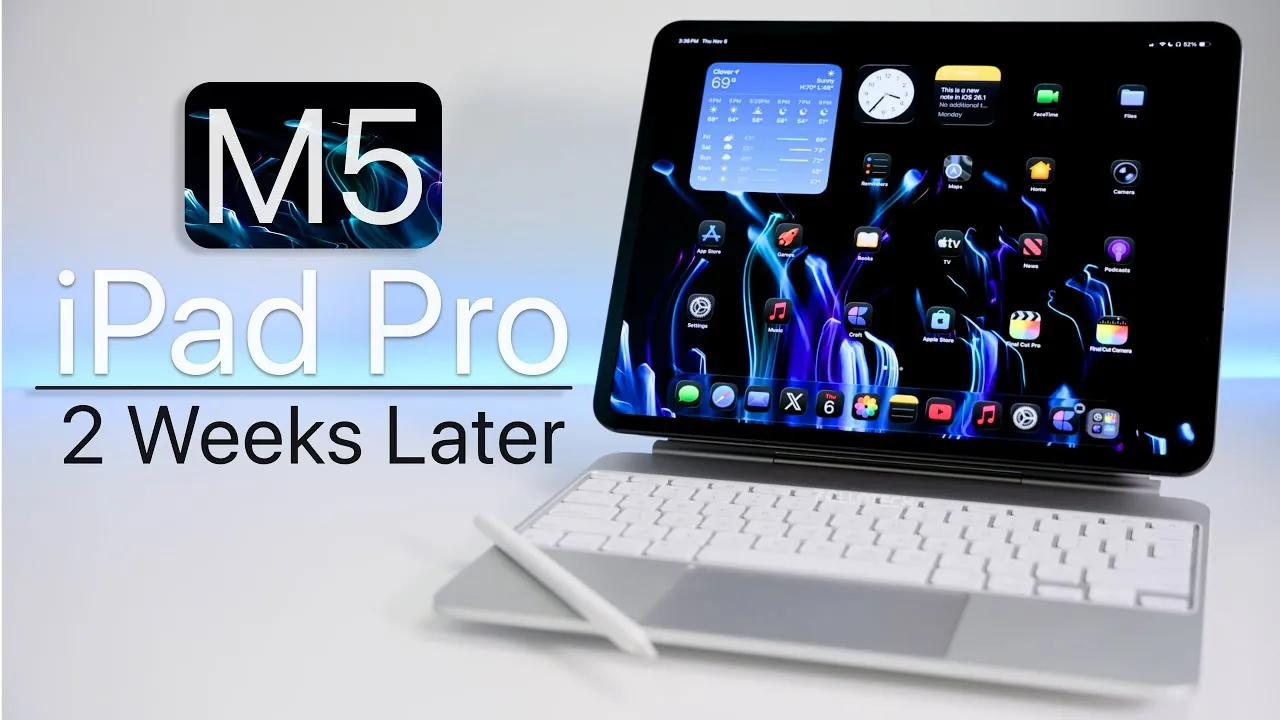
The M5 iPad Pro builds upon the solid foundation of its predecessor, the M4, introducing subtle yet meaningful enhancements that refine its performance, connectivity, and display capabilities. These updates position it as a strong contender in the competitive tablet market. However, for current M4 owners, the improvements may not be compelling enough to warrant an upgrade. On the other hand, users of older iPads or those entering the iPad Pro ecosystem for the first time will find the M5 to be a well-rounded, future-proof device that meets a variety of needs. The video below from zollotech gives us more details about the M5 iPad Pro.
Design: Familiar Aesthetics, Functional RefinementsThe M5 iPad Pro retains the sleek, minimalist design that has become synonymous with the iPad Pro lineup. While the overall aesthetic remains largely unchanged, subtle refinements enhance its functionality and appeal. For instance, the removal of the “iPad Pro” branding results in a cleaner, more streamlined appearance.
Key design features include:
These design elements make the M5 iPad Pro a versatile device, equally suited for professional tasks, creative projects, and personal use. While the overall design may feel familiar, these functional tweaks ensure it remains modern and practical.
Display: Enhanced Visuals with Minor Trade-OffsThe display is one of the standout features of the M5 iPad Pro, offering a combination of advanced technologies that cater to a wide range of users. The new nano-texture option significantly reduces glare, making the device more usable in bright environments such as outdoor settings or well-lit offices. Additionally, the ProMotion technology, with its 120 Hz refresh rate, ensures smooth scrolling, responsive touch interactions, and an overall fluid user experience. For professionals, the external 4K support adds value by allowing the device to function as a secondary monitor.
However, there is a notable drawback:
Despite this limitation, the M5 iPad Pro’s display remains a strong selling point, offering vibrant visuals and excellent usability for most users.
Performance: Incremental Yet Reliable UpgradesThe M5 iPad Pro is powered by the M5 chip, paired with up to 16 GB of RAM in the 1 TB storage model. This combination delivers robust performance, with benchmarks indicating improvements over the M4. However, the performance gains in everyday tasks, such as web browsing or document editing, may feel incremental rather than fantastic.
Notable performance upgrades include:
These enhancements ensure the M5 iPad Pro remains relevant and capable of handling demanding tasks, even as technology continues to evolve. While the performance improvements may not be new, they contribute to the device’s overall reliability and longevity.
Accessories: Compatibility and Room for ImprovementThe M5 iPad Pro maintains compatibility with existing accessories, such as the Magic Keyboard and Apple Pencil, making it an appealing choice for productivity and creative tasks. The pogo pin connector further expands its versatility by supporting a range of third-party peripherals, from external keyboards to docking stations.
However, some limitations persist. For instance, the Magic Keyboard’s design remains slightly top-heavy, which can make it less comfortable for extended use on your lap. While this issue does not detract significantly from the overall experience, it highlights an area where further refinement could enhance usability.
Battery Life: Consistent and DependableThe M5 iPad Pro offers reliable battery performance, with usage times ranging from 6 to 10 hours depending on the intensity of your activities. Tasks such as streaming videos, multitasking, or working on documents are well-supported by the battery’s capacity. To maintain long-term battery health, adopting regular charging habits is recommended. This ensures the device continues to deliver consistent performance over time, making it a dependable companion for both work and leisure.
iPadOS 26.1: Optimized for ProductivityRunning on iPadOS 26.1, the M5 iPad Pro delivers a smooth and responsive software experience. Features like Windowed mode and Slide Over enhance multitasking capabilities, allowing users to manage multiple apps simultaneously. The full-screen mode remains ideal for focused tasks, such as writing or editing.
However, minor software bugs persist. For example, occasional unresponsiveness in Safari can disrupt workflows. While these issues are not widespread or severe, they highlight areas where further optimization could improve the overall user experience.
Use Cases: A Versatile Device for Diverse NeedsThe M5 iPad Pro excels in a variety of use cases, making it a versatile choice for different types of users. Its capabilities include:
Additionally, the device’s ability to function as a secondary monitor or portable workstation enhances its appeal for professionals. However, the absence of certain professional-grade apps, like Pixelmator Pro, may limit its utility for some creative users.
Should You Upgrade?The decision to upgrade to the M5 iPad Pro depends largely on your current device and specific needs:
Overall, the M5 iPad Pro strikes a balance between performance, design, and versatility. While its upgrades may feel incremental to some, it remains a top-tier tablet that caters to a wide range of users, from casual consumers to professionals seeking a reliable and capable device.
Explore further guides and articles from our vast library that you may find relevant to your interests in M5 chip.
Source & Image Credit: zollotech
Filed Under: Apple, Apple iPad, Guides, Tablet News, Top News
Disclosure: Some of our articles include affiliate links. If you buy something through one of these links, Geeky Gadgets may earn an affiliate commission. Learn about our Disclosure Policy.
| # | Наименование новости | Тональность | Информативность | Дата публикации |
|---|---|---|---|---|
| 1 | M4 iPad Air vs. M3: Same Design, Different Beast? | 0 | 18.2 | 04-03-2026 |
| 2 | M5 iPad Pro vs. Tab S11 Ultra: A Shocking Result | 0 | 14.9 | 05-12-2025 |
| 3 | M5 iPad Pro vs Tab S11 Ultra — A Surprising Winner | 0 | 14.84 | 07-11-2025 |
| 4 | Apple’s 2026 iPad Mini May See Its Biggest Upgrade Yet | 0 | 19.02 | 14-07-2026 |
| 5 | Will iPadOS 27 Turn Your Tablet Into a True Laptop Replacement? | 0 | 21.82 | 29-06-2026 |
| 6 | Apple’s 2026 iPad Roadmap Leaked: Air in Spring, Mini in Fall | 0 | 18.51 | 02-01-2026 |
| 7 | Apple Mini iPad vs Paper Pro : Which is Better for Note Taking | 0 | 17.2 | 13-01-2026 |
| 8 | The Pro in Disguise: Why the 2026 iPad Air is All the Tablet You Actually Need | 0 | 21 | 13-03-2026 |
| 9 | iPad 12 (2026) Specs Leaked: A18 Design and Everything We Know So Far | 0 | 21.49 | 31-03-2026 |
| 10 | The iPad 12 Isn’t Coming When You Expected—Here’s Why | 0 | 21.6 | 08-08-2026 |

