Просмотр новости
Найдите то, что Вас интересует
 Спутники
 РН
РН SpaceX
 Роскосмос
 NASA
NASA
СпутникиРНSpaceXРоскосмосNASAIn macOS 26.4, Apple introduced new popup warnings when you try to paste a command into the Terminal. Now, a new support document explains why these and other Mac Terminal popups appear.
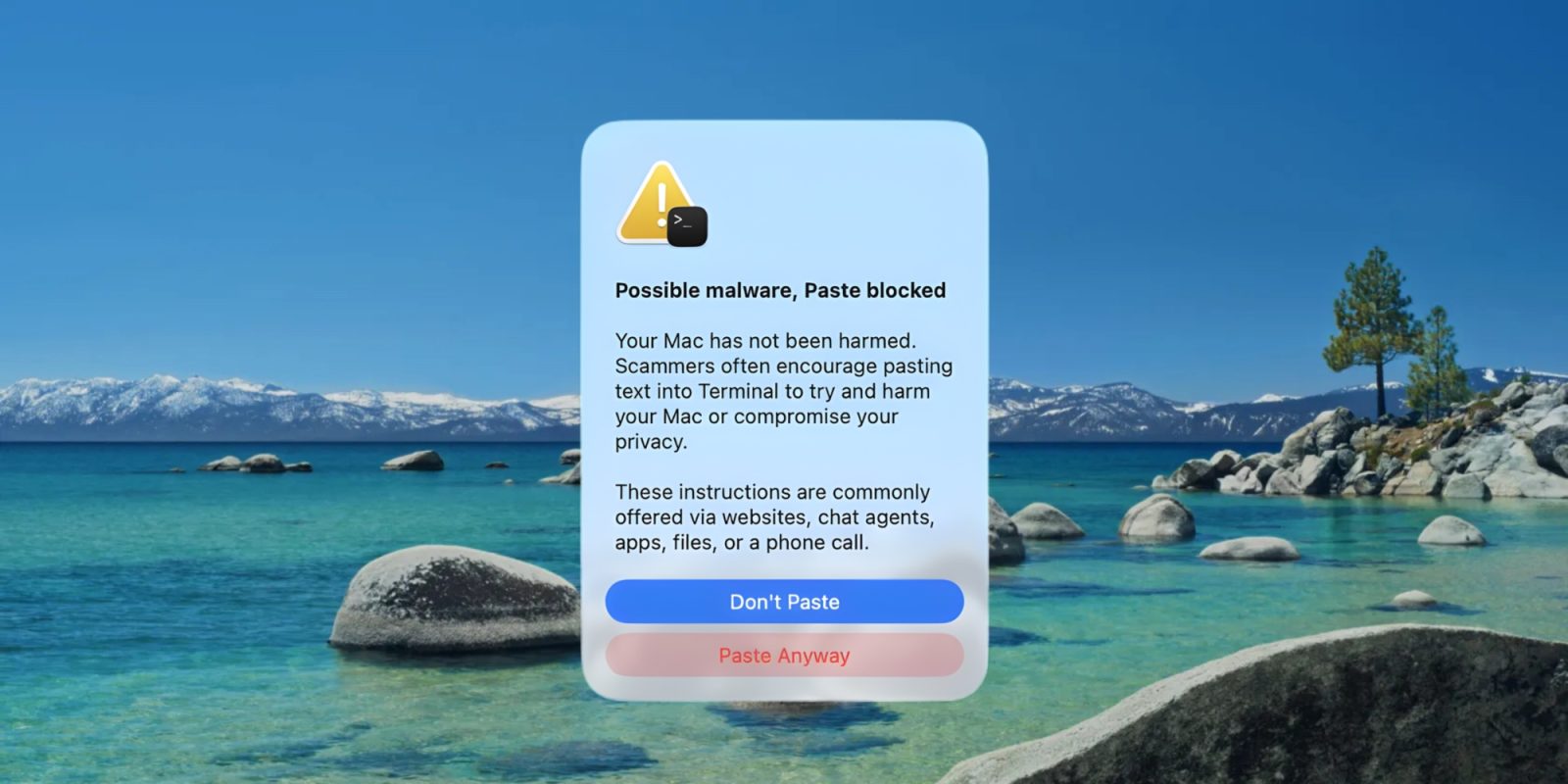
In macOS 26.4, Apple introduced new popup warnings when you try to paste a command into the Terminal. Now, a new support document explains why these and other Mac Terminal popups appear.
Apple support document explains Terminal prompts being blocked by macOS
Today Apple published a new support document titled, “If your Mac blocks a Terminal command paste or script.”
When macOS 26.4 shipped earlier this year, it came with a new security feature to protect unsuspecting Mac users from Terminal-based malware.
The feature is an alert informing you that your paste into Terminal has been blocked. It warns you that the text you were trying to paste might include malware.
Until now though, we’ve never known when exactly this popup is intended to appear.
Apple offers clarity in today’s new document though, which states:
This alert appears if you don’t regularly use Terminal and you copied the command from somewhere like a website, chat agent, or messaging or email app.
It seemed like the alert originally did appear for regular Terminal users, so it’s possible that behavior has changed since macOS 26.4.
Similarly, Apple explains why you might receive a couple other types of Terminal alerts:
If your Mac shows a “Malware Detected, Paste Blocked” or “Malicious Script Blocked” alert
These alerts appear if macOS detects that a command or script contains known malware and blocks it.
In these cases, the popup offers no option to continue pasting the text anyways. Instead, Apple says, “If you believe that this command or script was blocked because a website that it tries to access was incorrectly reported as deceptive, you can report an error.”
Have you seen any of these Terminal alerts? If so, are you a regular Terminal user? Let us know in the comments.
Best Mac accessories


FTC: We use income earning auto affiliate links. More.

| # | Наименование новости | Тональность | Информативность | Дата публикации |
|---|---|---|---|---|
| 1 | How do I fix the "zsh: permission denied" error on my Mac? | 0 | 6.82 | 01-07-2026 |
| 2 | Apple again warns developers not to do what Apple did in macOS 26 Tahoe | -2 | 6 | 11-06-2026 |
| 3 | Apple releases rare ‘point’ betas for iOS 26.6 and macOS 26.6 | 0 | 17 | 10-08-2026 |
| 4 | 9to5Mac Daily: March 24, 2026 – WWDC26 officially announced | 0 | 3 | 24-03-2026 |
| 5 | macOS Beta: Golden Gate Public Beta 4 now available | 0 | 13.88 | 17-08-2026 |
| 6 | 9to5Mac Daily: June 8, 2026 – WWDC 2026 recap | 0 | 3 | 09-06-2026 |
| 7 | Mac beach balls and unresponsive trackpad? This fix seems to work | 0 | 9.88 | 20-07-2026 |
| 8 | Apple Announces macOS 27 Golden Gate, Dropping Intel Mac Support and Introducing Gemini-Powered Siri AI | 0 | 8.87 | 09-06-2026 |
| 9 | Upcoming Apple products revealed in the macOS 26.7 release candidate | 0 | 11.66 | 18-08-2026 |