Просмотр новости
Найдите то, что Вас интересует
 Спутники
 РН
РН SpaceX
 Роскосмос
 NASA
NASA
СпутникиРНSpaceXРоскосмосNASAIf there’s one change I could make to iOS 27 and iPadOS 27, it would be disabling the new swipe-down gesture to invoke Siri AI. There are enough ways to summon Siri that don’t break my muscle memory around opening Notification Center on my iPhone and iPad.
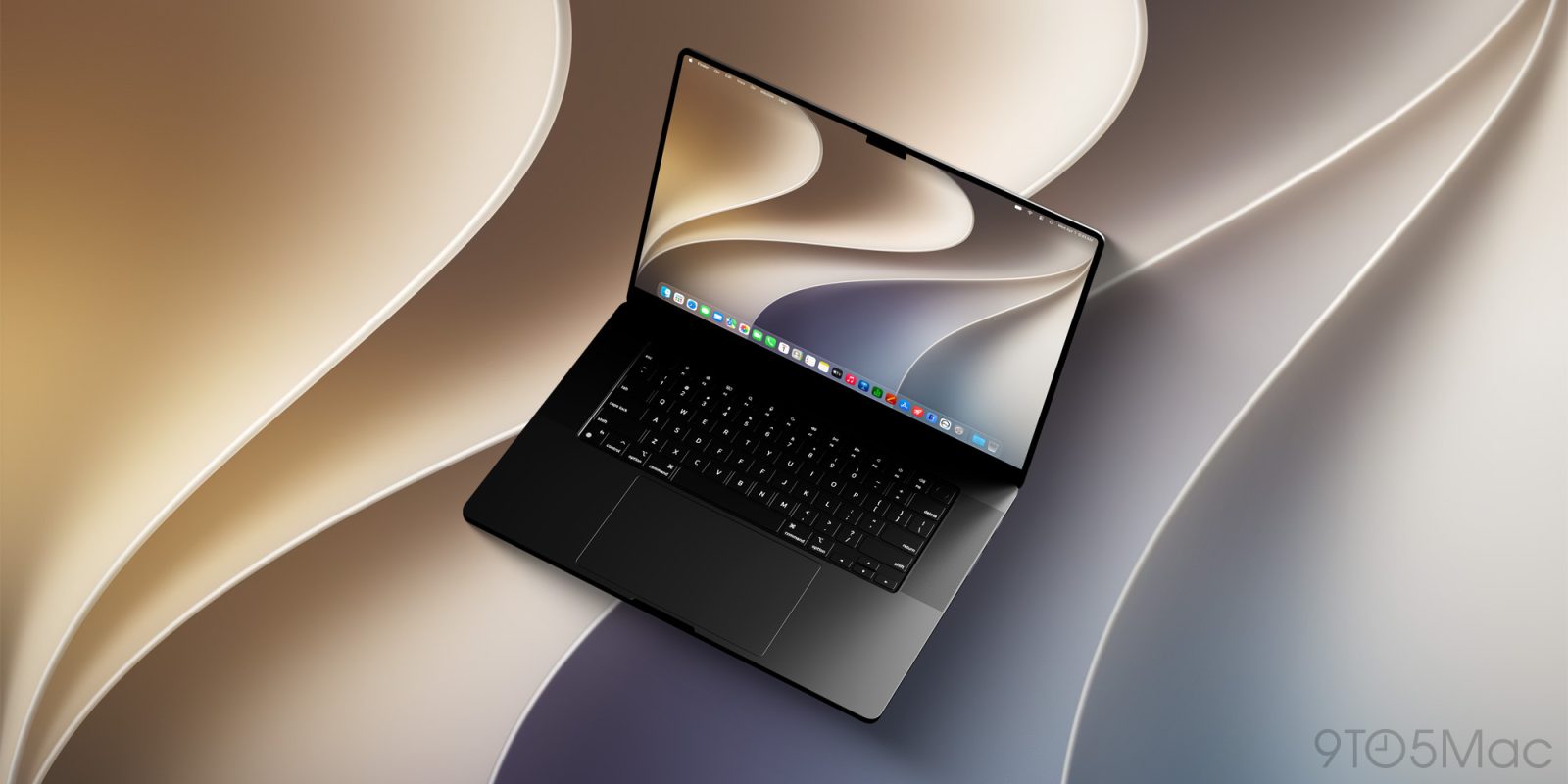
Meanwhile, on the Mac, it’s almost all good news with macOS 27 Golden Gate. Even in late August, new betas are still adding delightful changes. Still, there’s one change I’d like to see before macOS 27 is released next month.
If there’s one change I could make to iOS 27 and iPadOS 27, it would be disabling the new swipe-down gesture to invoke Siri AI. There are enough ways to summon Siri that don’t break my muscle memory around opening Notification Center on my iPhone and iPad.
Meanwhile, on the Mac, it’s almost all good news with macOS 27 Golden Gate. Even in late August, new betas are still adding delightful changes. Still, there’s one change I’d like to see before macOS 27 is released next month.
MacBook battery percentage is harder to read in macOS 27 Golden GatemacOS 27 Golden Gate includes a redesigned menu bar control for battery. By default, the percentage isn’t visible. It’s just a battery-shaped visual indicator.
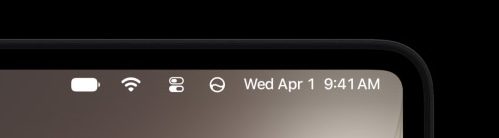
In this state, it looks nice. I run with the percentage off on iPhone, which has the same battery indicator. I’ve always preferred to display the percentage on Mac, though.
If you flip the ‘show percentage’ toggle on in macOS 27 Golden Gate, it puts the number inside the battery. I believe this is to be consistent with what the iPhone does in iOS 27.
Putting the percentage inside the battery icon on iPhone is Apple’s density solution for cornering everything to the right of the notch or Dynamic Island. On the Mac, this screen real estate issue isn’t present for me — even in the menu bar.

I’ve been running macOS 27 Golden Gate on my 15-inch MacBook Air since day one of the first developer beta. What I’ve found is that I’m generally less aware of my battery percentage because it’s less legible for my eyes.
I hope Apple revisits this design decision in the future, especially if it’s an issue for more users. In the meantime, I’ve at least resolved the issue for myself.
Using Codex, I made a simple menu bar utility that reliably presents the current battery state and percentage with the visual clarity that I expect. If that’s something that may be helpful for you as well, you can download and install it for free here.


FTC: We use income earning auto affiliate links. More.
| # | Наименование новости | Тональность | Информативность | Дата публикации |
|---|---|---|---|---|
| 1 | macOS 27 Golden Gate beta 6 features redesigned traffic light window controls | 0 | 16.6 | 17-08-2026 |
| 2 | How to Install macOS 27 Golden Gate Public Beta on Mac | 0 | 10.14 | 22-07-2026 |
| 3 | macOS 27 Golden Gate includes these changes that Tahoe critics will appreciate | 0 | 13.55 | 09-06-2026 |
| 4 | 2nd Public Beta of iOS 27, iPadOS 27, & MacOS 27 Golden Gate Available for Testing | 0 | 12.56 | 23-07-2026 |
| 5 | iOS 27 breaks 15 years of muscle memory on iPhone and iPad | 0 | 13.37 | 13-09-2026 |
| 6 | Apple announces macOS Golden Gate 27, here’s what’s new | 0 | 14.69 | 08-06-2026 |
| 7 | macOS 27 Golden Gate beta 6 adds fifth dynamic wallpaper, get them all here [Gallery] | 0 | 12.31 | 17-08-2026 |
| 8 | 10 новых и полезных фишек macOS 27 Golden Gate. Надо ли обновляться ради них | 0 | 15.41 | 29-06-2026 |
| 9 | Why I’m Going All-In on MacOS 27 Golden Gate Beta | 0 | 11.36 | 03-08-2026 |
| 10 | Several things I like about macOS 27 Golden Gate that have nothing to do with AI | 2 | 3 | 11-06-2026 |