Просмотр новости
Найдите то, что Вас интересует
 Спутники
 РН
РН SpaceX
 Роскосмос
 NASA
NASA
СпутникиРНSpaceXРоскосмосNASA
The daily games hiding inside the Apple News app are my favorite puzzles to play — available to News+ and Apple One Premier subscribers.
(via Cult of Mac - Your source for the latest Apple news, rumors, analysis, reviews, how-tos and deals.)
The daily games hiding inside the News app are my favorite puzzles to play. Some are digital versions of classic games like crossword puzzles and sudoku. Others are entirely new.
All five games are available to all Apple News+ and Apple One Premier subscribers. Here’s how to play each of the daily word games in Apple News+ on iPhone. Check them out in this quick video.
5 daily games and puzzles you can play in Apple News+ on iPhone, iPad and MacDaily puzzles became a staple of old-school newspapers, and Apple’s games are a nice modern equivalent. Plus, these digital versions offer great convenience features, like automatically advancing to the next clue in crossword puzzles and the ability to share results easily with family and friends.
Frankly, digital puzzles are way better than the old newspaper versions. Here’s why I love them.
Table of contents: Daily games in Apple News+To play these puzzles, you need a paid subscription to Apple News+. (This upgrade over the regular Apple News app also unlocks access to many major news outlets and magazines, plus tons of recipes in Apple News Food as well as narrated news stories you can listen to like a podcast.)
To get all these features, you can subscribe to Apple News+ for $12.99 per month. Or, you can get News+ alongside all the other great services and 2TB of iCloud storage in the Apple One Premier bundle (which you can share with five other family members) for $37.95 per month.
To find the puzzles, launch the Apple News+ app. In the Search tab, you should see a purple tile for the Puzzles category — tap on it to find all five of the day’s new puzzles. Scroll down to see your stats and browse through the last three days’ puzzles. Tap on any of them to jump right in.
Crossword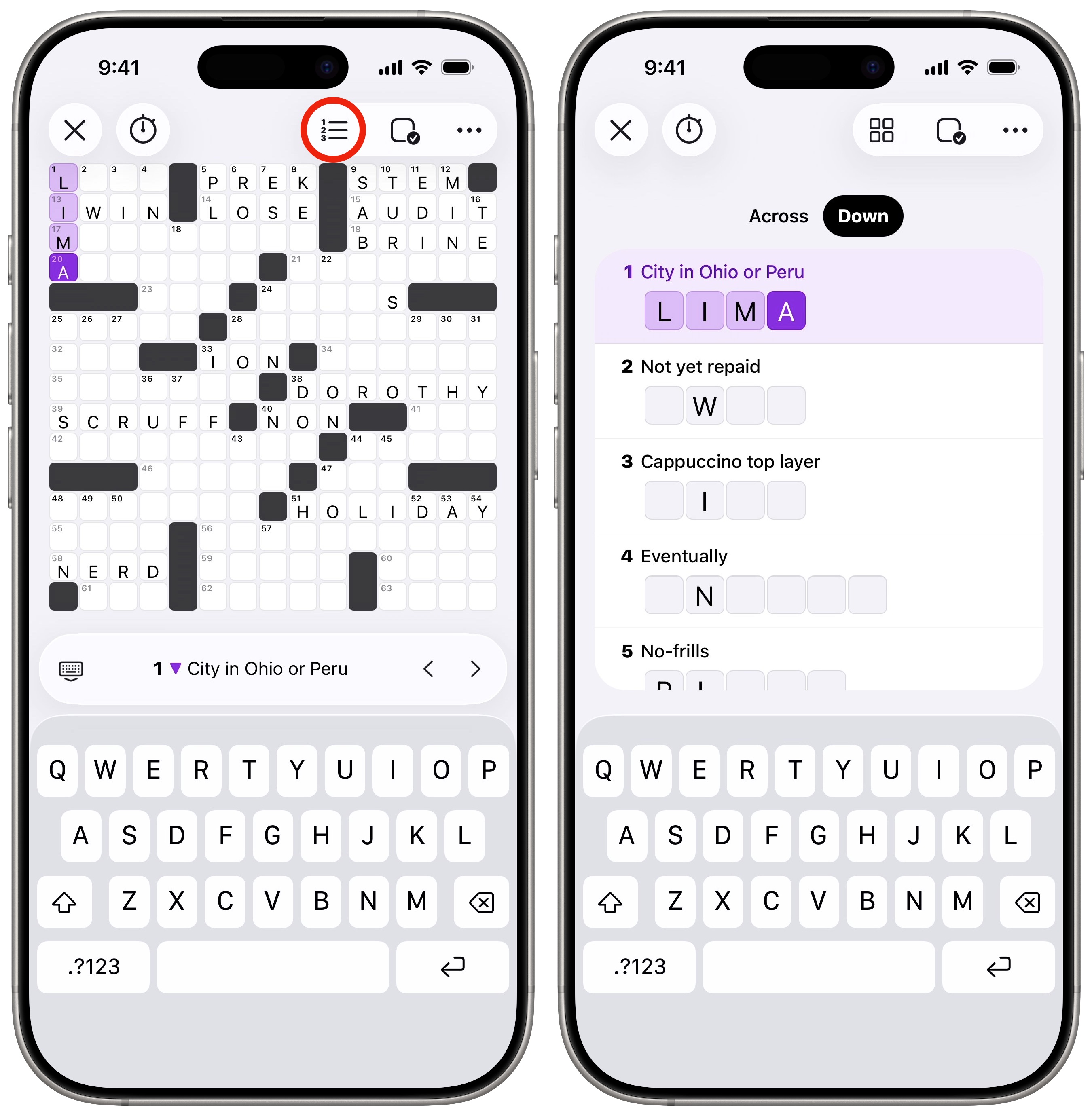 Just like the newspaper, except on your phone.
Crossword puzzles are classic daily word games, and Apple News+ serves up its own version. I’ve tried a handful of different crossword apps, but I really love Apple’s interface. Plus, the puzzles are well-written.
Given a list of clues, you need to enter your answers on a big grid where letters will overlap and intersect with other words. The Apple News+ crossword puzzles start easy on Monday, then become progressively harder through the week. The Sunday puzzle takes me a bit of time, but that’s when I have the time to waste.
For more on Apple News crosswords, read our guide: How to play Apple’s daily crosswords on iPad and iPhone.
Mini CrosswordFor a shorter, easier game, you can play the Apple News+ Mini Crossword. You can play one of these in just a few minutes — my average time hovers in the 40-second range. It’s maybe my favorite puzzle of them all.
It works just like the regular crossword, except on a 5 × 5 grid. There are no more than 10 clues per game, down from the typical 70-plus.
Quartiles, a unique daily word game in Apple News+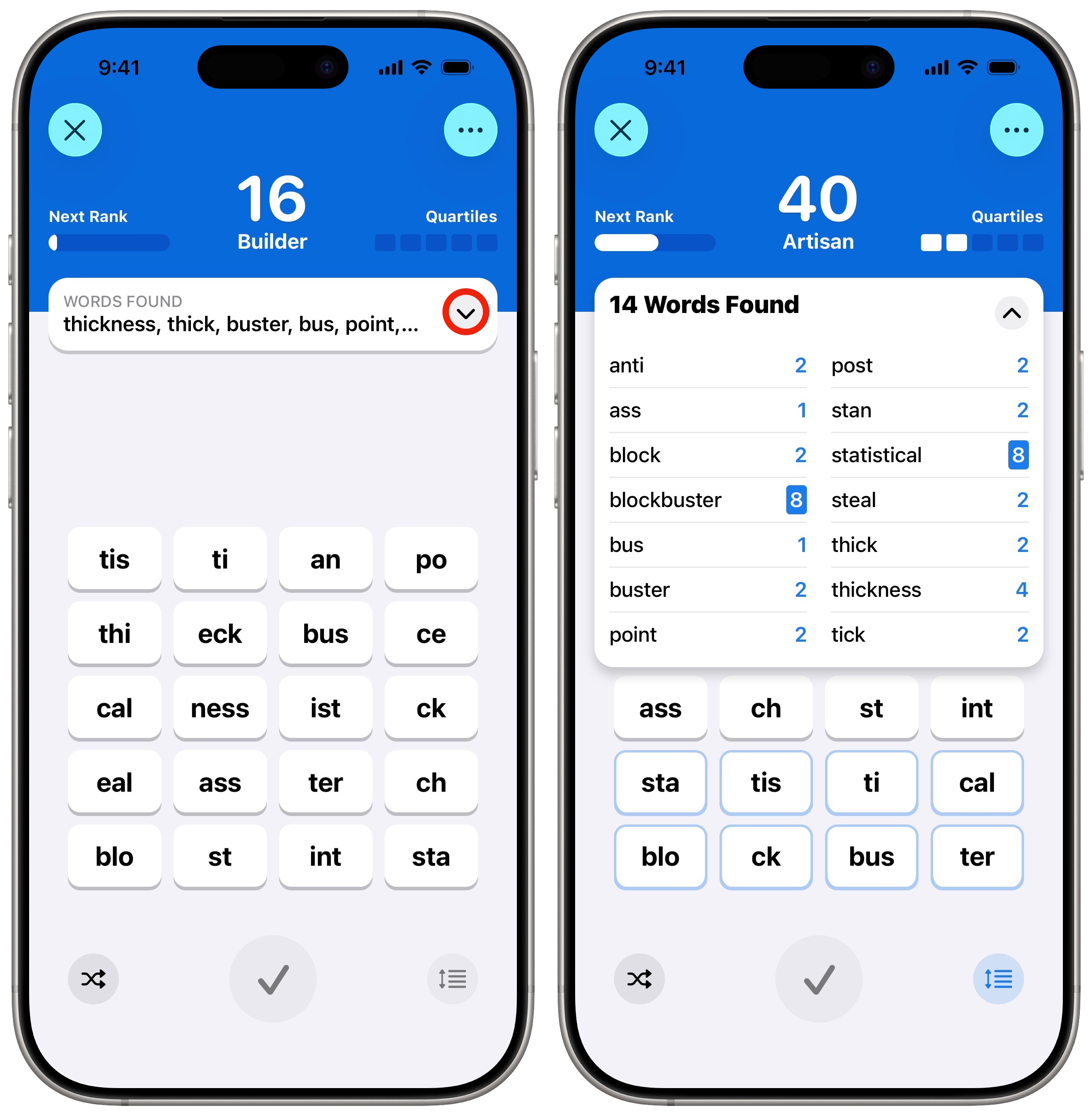 Quartiles is kind of like Boggle, except with larger chunks of letters.
Of all the daily games in Apple News+, Quartiles is by far the most original concept. You see a grid of word segments that you need to piece together to form as many different words as you can.
Tap on one, two, three or four tiles to make a word, then tap the ✓ button to submit it. Tap the × to clear a segment. In every puzzle, five words can be made with four tiles each — quartiles.
You earn a few points for each word you form, depending on how many tiles it uses; finding all five quartiles gets you a bonus 40 points. Rack up 100 points to solve the day’s puzzle (and you can keep going as long as you like).
While it’s a little hard to learn — and sometimes incredibly frustrating — Quartiles is another one I rarely miss. I’m still striving for the day when I find every possible word.
For more on Quartiles, read our guide: How to play Quartiles, the daily word-building game in Apple News+.
Sudoku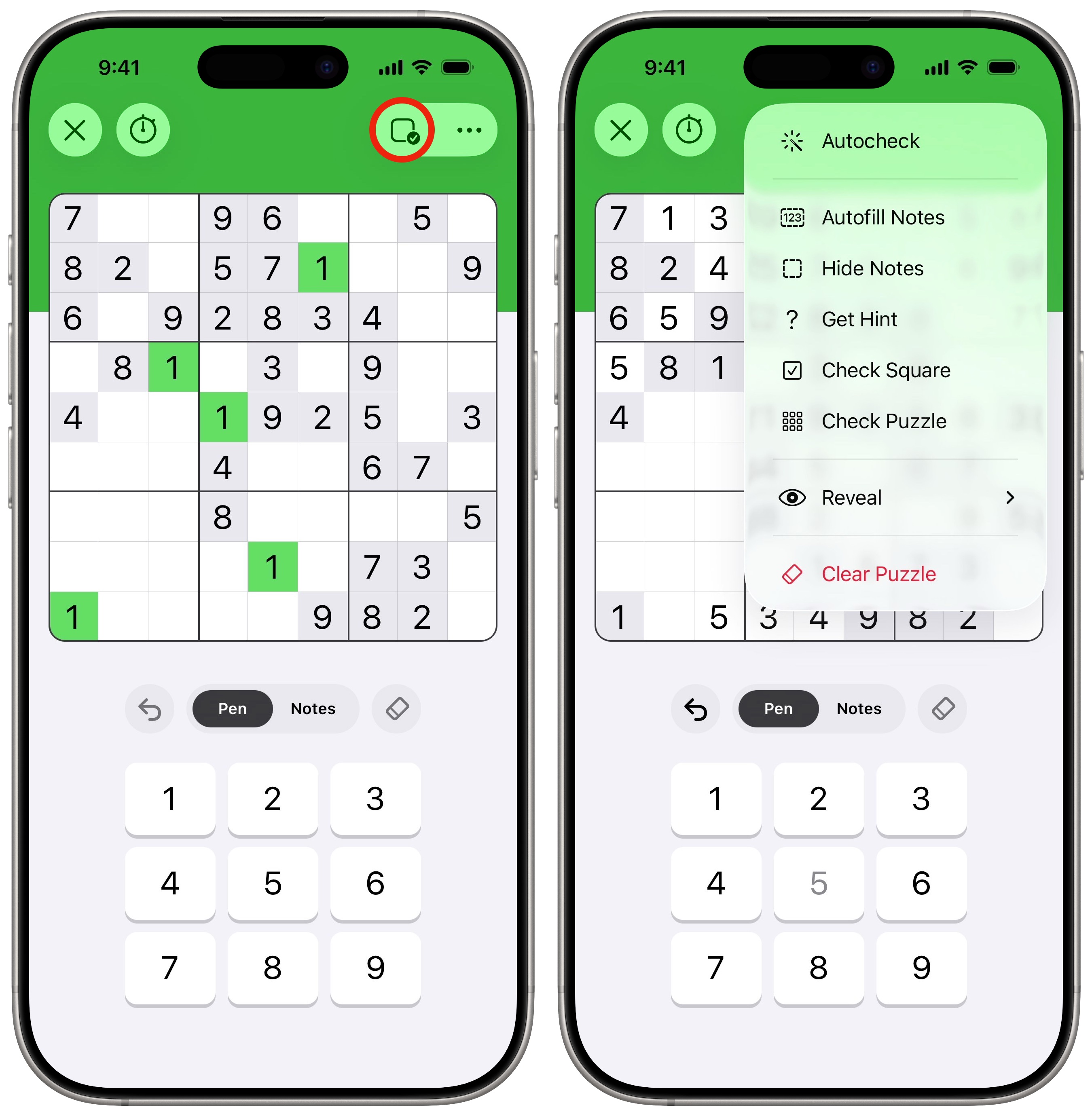 Another newspaper classic.
The logic-based number game known as sudoku became popular in Japan before blowing up in the mid-2000s after appearing in British newspapers. In the game, you fill in a board with the numbers 1 through 9. Every row, column and 3 × 3 section of the board must contain all nine numbers.
The Apple News+ version of Sudoku consists of three daily puzzles with varying degrees of difficulty — easy, moderate and challenging. Choose whichever matches your skill level. Easy puzzles are good for learning the game. Moderate puzzles are for those who understand the rules well; this is usually what I play. Challenging puzzles require you to look at the board really carefully, and maybe make an educated guess or two using the notes.
Just as with crossword puzzles, playing in the Apple News+ app offers advantages over scribbling your numbers into a grid on a printed page.
Here’s how you play Suduko in the Apple News+ app:
I like Sudoku, but I only typically reach for it as a time-killer after finishing the other word games.
Emoji Game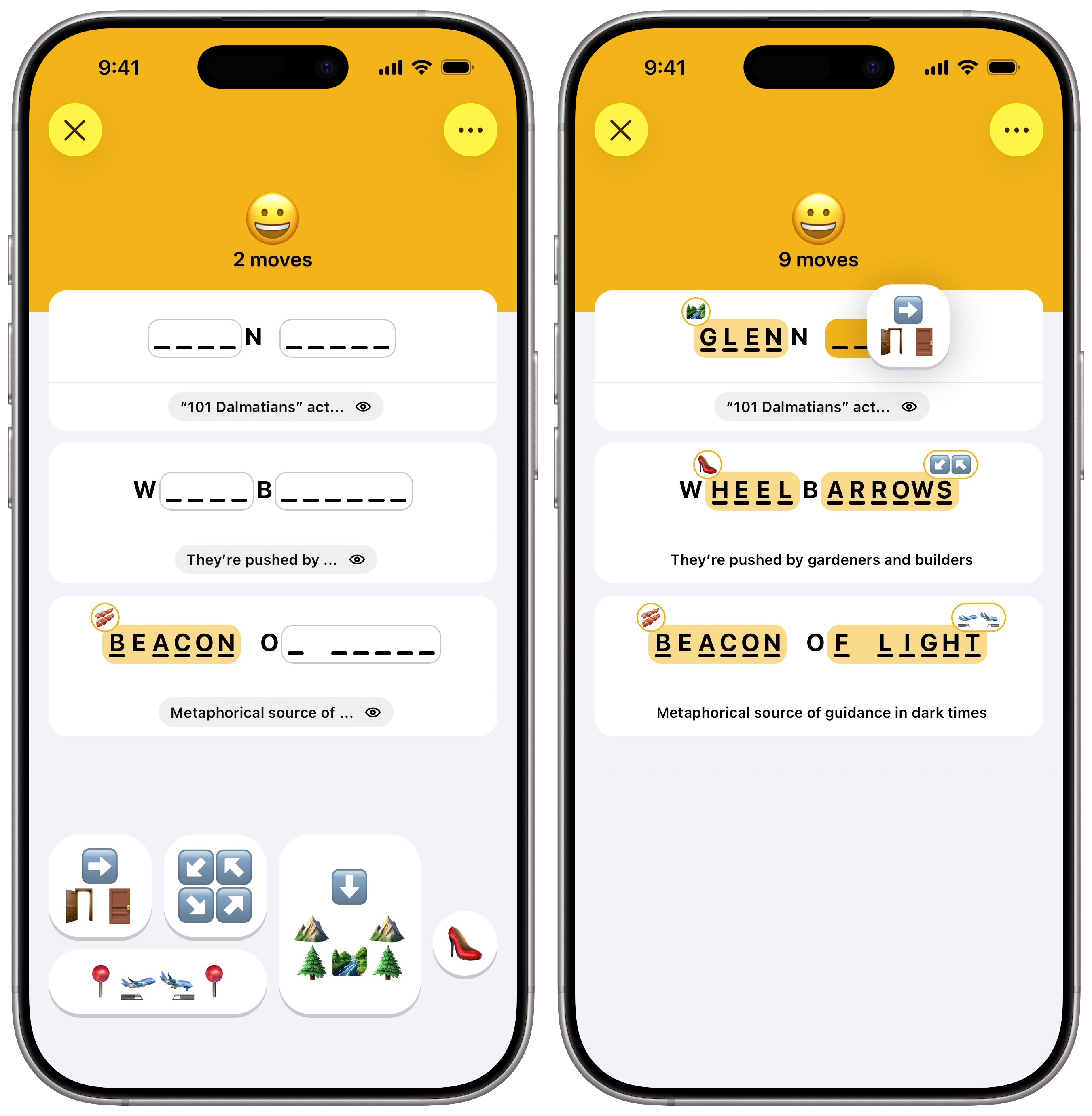 This game straight up sucks.
The Emoji Game is by far the most infuriating of all the daily word games in Apple News+. It’s kind of like playing hangman or Wheel of Fortune, in that you need to fill in the blanks to guess a few phrases. However, instead of just guessing letters, you use sequences of emoji. You must interpret what the emoji represent — there’s often a double meaning or pun involved — and then figure out how they fit into the clues. If you’re stumped, you can reveal a clue about each phrase. It might help.
On top of all those layers of abstraction, you might encounter a few emoji that you don’t recognize. Some puzzles use Genmoji, the Apple Intelligence feature that lets you create custom emoji from a prompt.
The more mistakes you make, and the more clues you use, the lower your score.
I find the Emoji Game extremely annoying. I played it when it debuted and hadn’t really touched it since. Trying it again for this article, it pissed me off exactly as much as I remembered. So I will carry on ignoring it until I update this article again in another year or two.
More Apple One features| # | Наименование новости | Тональность | Информативность | Дата публикации |
|---|---|---|---|---|
| 1 | 5 overlooked Mac features that save me time every day | 0 | 26.69 | 01-08-2026 |
| 2 | 6 ways to personalize your Mac and make it your own | 0 | 20.8 | 28-05-2026 |
| 3 | I replaced 7 Apple apps on my Mac. Here’s what I use instead. | 0 | 23.22 | 08-08-2026 |
| 4 | How to remove an object from a photo with Apple Intelligence | 0 | 20.8 | 28-04-2026 |
| 5 | Most beautiful Mac setups: Symmetry, style and serious desk envy | 5 | 3 | 26-06-2026 |
| 6 | Check out the best Amazon Prime Day deals on our favorite Apple gear | 5 | 5 | 23-06-2026 |
| 7 | 9to5Mac Daily: April 10, 2026 – Apple Store closures, more | 0 | 2 | 10-04-2026 |
| 8 | 7 mind-blowing Continuity features every Apple user should know | 0 | 24.34 | 12-08-2026 |
| 9 | This Apple Intelligence feature won’t work unless you pay for 2TB iCloud+ | -2 | 5 | 07-07-2026 |